Redmineのプラグインを作ってみようかな〜っと、思い立ったが吉日で早速とりかかることにします。サクッと開発環境を作りたいといえば、ドカドカDockerだね。
他人の作ったコンテナはあまり使いたくないでござるなので、RedmineとDockerというキーワードでググる事にしました。
1枚目にredmineのDockerfileがやっとできたってのがあるじゃないか!と、しかし…何だかどこかで見たことあるなぁと思ったら
このブログでしたw
過去の日記を読んでみると、らささべさんからのご指摘どおりでset.confではなく、そこにはsupervisor.confが入ります。
そこだけ修正して、とりあえず動かしてみようと思います。
動かなければそれはそれで修正すれば良いのだ。
修正したソースは最後にまとめて載せるとして、以前と同じディレクトリの構成にしてみました。
[takeken@localhost ~]$ mkdir -p docker-redmine/conf
[takeken@localhost ~]$ cd docker-redmine
[takeken@localhost docker-redmine]$ vim conf/Dockerfile
[takeken@localhost docker-redmine]$ vim conf/configuration.yml
[takeken@localhost docker-redmine]$ vim conf/database.yml
[takeken@localhost docker-redmine]$ vim conf/passenger.conf
[takeken@localhost docker-redmine]$ vim conf/supervisor.conf
[takeken@localhost docker-redmine]$ pwd
/home/takeken/docker-redmine

[takeken@localhost docker-redmine]$ ls -l conf/
合計 20
-rw-r--r-- 1 takeken wheel 3531  2月 24 19:43 2015 Dockerfile
-rw-r--r-- 1 takeken wheel  207  2月 24 19:44 2015 configuration.yml
-rw-r--r-- 1 takeken wheel  125  2月 24 19:44 2015 database.yml
-rw-r--r-- 1 takeken wheel  268  2月 24 19:45 2015 passenger.conf
-rw-r--r-- 1 takeken wheel  619  2月 24 19:46 2015 supervisor.conf
肝心のDocker本体が入っていなかったので、Epelからインストールします。
[takeken@localhost docker-redmine]$ sudo yum --enablerepo=epel install -y docker-io

[takeken@localhost docker-redmine]$ docker -v
Docker version 1.4.1, build 5bc2ff8/1.4.1

[takeken@localhost docker-redmine]$ sudo service docker start
Starting cgconfig service:                                 [  OK  ]
Starting docker:                                       [  OK  ]
まずはバージョン1.0ってことでビルドしてみます。
[takeken@localhost docker-redmine]$ sudo docker build -t takeken/redmine:1.0 conf/なんと、なんとと言う言い方はおかしいですねw
無事に完走しました。
[takeken@localhost docker-redmine]$ sudo docker images
REPOSITORY          TAG                 IMAGE ID            CREATED             VIRTUAL SIZE
takeken/redmine     1.0                 38385ccff674        2 minutes ago       1.777 GB
centos              centos6             a30bc9f3097e        2 weeks ago         215.8 MB
早速立ち上げて見ましたところ、Webサーバにアクセスできないようです。
[takeken@localhost ~]$ sudo docker run -p 9080:80 -p 22 -p 9001 --name redmine1 takeken/redmine:1.0 /usr/bin/supervisordHTTPにアクセスできなくてもSSHは動いているのでアクセスして調査してみます。
調べてみた結果は過去の自分も書いているようにPassengerのバージョンの違いによるものでした。
takeken@468ed6ba3966 ~]$ sudo service httpd restart
Stopping httpd:                                            [FAILED]
Starting httpd: httpd: Syntax error on line 221 of /etc/httpd/conf/httpd.conf: Syntax error on line 1 of /etc/httpd/conf.d/passenger.conf: Cannot load /usr/local/lib/ruby/gems/2.0.0/gems/passenger-4.0.48/buildout/apache2/mod_passenger.so into server: /usr/local/lib/ruby/gems/2.0.0/gems/passenger-4.0.48/buildout/apache2/mod_passenger.so: cannot open shared object file: No such file or directory
                [FAILED]
パッセンジャーをインストールした最後に出るhttpd.confに追記すべき項目ですが、あれは実はコマンドで後からでも確認することができます。
下に表示されているバージョンが今回インストールされたものです。どうやら微妙にマイナーチェンジがあったようですね。
[takeken@468ed6ba3966 ~]$ passenger-install-apache2-module --snippet
LoadModule passenger_module /usr/local/lib/ruby/gems/2.0.0/gems/passenger-4.0.59/buildout/apache2/mod_passenger.so
<IfModule mod_passenger.c>
  PassengerRoot /usr/local/lib/ruby/gems/2.0.0/gems/passenger-4.0.59
  PassengerDefaultRuby /usr/local/bin/ruby
</IfModule>
confファイルは正しくなったので、ともかく起動は完了しました。
[takeken@468ed6ba3966 ~]$ sudo service httpd restart
Stopping httpd:                                            [FAILED]
Starting httpd: httpd: Could not reliably determine the server's fully qualified domain name, using 172.17.0.46 for ServerName
                [  OK  ]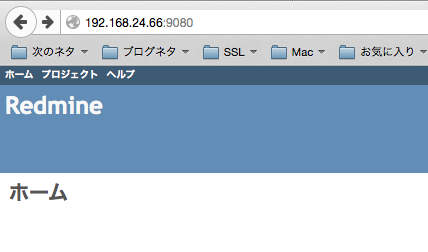
ところが!Mysqlのdbがlatinで作られているので日本語が化けるよ〜!
ちゃんとコメント欄を読んでおけば防げた事なんだなこれが。
らささべさん、ごめんなさい。
しょぼーんです。わりと本気でしょぼーんです。
Dockerfileは作り直して、ついでにPassenger.confも治しておきませう。
もう1度ビルドします。ある程度は差分で対応できるようなので1回目よりは時間はかかりません。
同じ過ちは繰り返さない!しかし、説得力がねえー!
バージョン2.0にします。
[takeken@localhost docker-redmine]$ sudo docker build -t takeken/redmine:2.0 conf/[/bash</pre>
<p class="r">出来ました。</p>

<pre class="r">[bash][takeken@localhost docker-redmine]$ sudo docker images
REPOSITORY          TAG                 IMAGE ID            CREATED             VIRTUAL SIZE
redmine/takeken     2.0                 10a5e218ebdf        3 minutes ago       1.777 GB
takeken/redmine     1.0                 38385ccff674        About an hour ago   1.777 GB
centos              centos6             a30bc9f3097e        2 weeks ago         215.8 MB
何故かリポジトリの名前を逆につけてしまいましたorz
うまく動くでしょうか・・・。ドキドキ。
[takeken@localhost docker-redmine]$ sudo docker run -d -p 9080:80 -p 22 -p 9001 --name redmine2 redmine/takeken:2.0 /usr/bin/supervisord
ed66a96f862dd24f3ca1f1657fada96441fa73ca6c76ca1f35290fcbdf3cd9aa
よーし!上手くいきました。らささべさんありがとう。
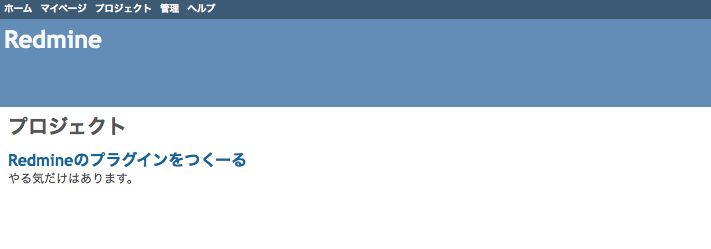
これで土台は出来上がったので、後はプラグインを作成するだけですね。
今回はあくまで下準備で、これから本題なんだよん。
というわけで、最後にソースを載せて終了。
Dockerfile
[takeken@localhost docker-redmine]$ cat conf/Dockerfile
FROM centos:centos6

MAINTAINER takeken

# yum + repo
RUN yum install -y wget
RUN yum install -y sudo tar openssh openssh-clients openssh-server syslog httpd httpd-devel mysql-server vim python-setuptools
RUN sleep 60
RUN wget http://rpms.famillecollet.com/enterprise/remi-release-6.rpm ;\
  wget http://dl.fedoraproject.org/pub/epel/6/x86_64/epel-release-6-8.noarch.rpm ;\
  wget http://pkgs.repoforge.org/rpmforge-release/rpmforge-release-0.5.3-1.el6.rf.x86_64.rpm ;\
  rpm -ivh epel-release-6-8.noarch.rpm remi-release-6.rpm rpmforge-release-0.5.3-1.el6.rf.x86_64.rpm
RUN yum --enablerepo=remi,epel groupinstall -y "Development Tools"
RUN yum --enablerepo=remi,epel,centosplus install -y openssl-devel readline-devel zlib-devel curl-devel libyaml-devel ImageMagick ImageMagick-devel ipa-pgothic-fonts mysql-devel

# ssh
RUN sed -ri 's/UsePAM yes/#UsePAM yes/g' /etc/ssh/sshd_config
RUN sed -ri 's/#UsePAM no/UsePAM no/g' /etc/ssh/sshd_config
RUN ssh-keygen -t rsa -f /etc/ssh/ssh_host_rsa_key
RUN ssh-keygen -t dsa -f /etc/ssh/ssh_host_dsa_key
RUN useradd takeken
RUN echo 'takeken:takeken' | chpasswd
RUN echo 'takeken ALL=(ALL) NOPASSWD:ALL' >> /etc/sudoers.d/takeken

# ruby
RUN curl http://cache.ruby-lang.org/pub/ruby/2.0/ruby-2.0.0-p451.tar.gz | tar -xz -C /tmp
RUN cd /tmp/ruby-2.0.0-p451 ; ./configure --disable-install-doc && make && make install
RUN cd /tmp/ruby-2.0.0-p451/ext/openssl ; ruby extconf.rb ; make ; make install
RUN cd /tmp/ruby-2.0.0-p451/ext/zlib ; ruby extconf.rb ; make ; make install
RUN gem install bundler --no-rdoc --no-ri

# setting
# RUN sed -ri "s/^SELINUX=enforcing/SELINUX=disabled/" /etc/sysconfig/selinux

# supervisor
RUN easy_install supervisor
RUN echo_supervisord_conf > /etc/supervisord.conf
RUN echo '[include]' >> /etc/supervisord.conf
RUN echo 'files = supervisord.d/*.conf' >> /etc/supervisord.conf
RUN echo '[inet_http_server]' >> /etc/supervisord.conf
RUN echo 'port=0.0.0.0:9001' >> /etc/supervisord.conf
RUN echo 'username=takeken' >> /etc/supervisord.conf
RUN echo 'password=takeken' >> /etc/supervisord.conf
RUN mkdir -p /etc/supervisord.d
ADD supervisor.conf /etc/supervisord.d/supervisor.conf

#mysql
RUN mkdir -p /etc/mysql.d
ADD my_add.cnf /etc/mysql.d/my_add.cnf
RUN echo '!includedir /etc/mysql.d' >> /etc/my.cnf
RUN service mysqld restart && \
  /usr/bin/mysqladmin -uroot password takeken
RUN service mysqld restart && \
  mysql -uroot -ptakeken -e "CREATE DATABASE redmine; GRANT ALL PRIVILEGES ON redmine.* TO 'redmine'@'localhost' IDENTIFIED BY 'redmine'; FLUSH PRIVILEGES;"

# redmine
RUN curl http://www.redmine.org/releases/redmine-2.5.0.tar.gz | tar -xz -C /tmp
RUN mv /tmp/redmine-2.5.0 /var/lib/redmine
RUN mkdir -p /var/lib/redmine/config
ADD configuration.yml /var/lib/redmine/config/configuration.yml
ADD database.yml /var/lib/redmine/config/database.yml

RUN cd /var/lib/redmine ; bundle install --without development test postgresql sqlite ;\
  RAILS_ENV=production bundle exec rake db:migrate ;\
  gem install passenger --no-rdoc --no-ri ;\
  bundle install
ADD passenger.conf /etc/httpd/conf.d/passenger.conf
RUN sed -ri 's_DocumentRoot.*_DocumentRoot /var/lib/redmine/public_' /etc/httpd/conf/httpd.conf
RUN passenger-install-apache2-module --auto
RUN service mysqld restart
RUN cd /var/lib/redmine ; bundle exec rake generate_session_store ; bundle exec rake generate_secret_token ; bundle install
RUN sleep 60
RUN /etc/init.d/mysqld start && cd /var/lib/redmine ; bundle exec rake db:migrate RAILS_ENV=production ;\
  rake tmp:cache:clear ; rake tmp:sessions:clear

RUN chown -R apache:apache /var/lib/redmine
EXPOSE 22 80 9001

CMD ["/usr/bin/supervisord"]
configuration.yml
[takeken@localhost docker-redmine]$ cat conf/configuration.yml
production:
  email_delivery:
  delivery_method: :smtp
  smtp_settings:
   address: "localhost"
   port: 25
   domain: 'example.com'

  rmagick_font_path: /usr/share/fonts/ipa-pgothic/ipagp.t
database.yml
[takeken@localhost docker-redmine]$ cat conf/database.yml
production:
  adapter: mysql2
  database: redmine
  host: localhost
  username: redmine
  password: redmine
  encoding: utf8
passenger.conf
[takeken@localhost docker-redmine]$ cat conf/passenger.conf

LoadModule passenger_module /usr/local/lib/ruby/gems/2.0.0/gems/passenger-4.0.59/buildout/apache2/mod_passenger.so
<IfModule mod_passenger.c>
  PassengerRoot /usr/local/lib/ruby/gems/2.0.0/gems/passenger-4.0.59
  PassengerDefaultRuby /usr/local/bin/ruby
</IfModule>

Header always unset "X-Powered-By"
Header always unset "X-Rack-Cache"
Header always unset "X-Content-Digest"
Header always unset "X-Runtime"

PassengerMaxPoolSize 20
PassengerMaxInstancesPerApp 4
PassengerPoolIdleTime 3600
PassengerHighPerformance on
PassengerStatThrottleRate 10
PassengerSpawnMethod smart
RailsAppSpawnerIdleTime 86400
PassengerMaxPreloaderIdleTime 0
supervisor.conf
[takeken@localhost docker-redmine]$ cat conf/supervisor.conf
[supervisord]
nodaemon=true

[program:sshd]
command=/usr/sbin/sshd -D
autostart=true
autorestart=true

[program:httpd]
command=/usr/sbin/httpd -D FOREGROUND
autostart=true
autorestart=true

#command ha docchika ??
[program:mysqld]
command=/usr/bin/pidproxy /var/run/mysqld/mysqld.pid /usr/bin/mysqld_safe --datadir=/var/lib/mysql --socket=/var/lib/mysql/mysql.sock --pid-file=/var/run/mysqld/mysqld.pid --basedir=/usr --user=mysql
#command=/usr/bin/mysqld_safe --datadir=/var/lib/mysql --socket=/var/lib/mysql/mysql.sock --pid-file=/var/run/mysqld/mysqld.pid --basedir=/usr --user=mysql
autostart=true
autorestart=true
my_add.conf
[takeken@localhost docker-redmine]$ cat conf/my_add.cnf
[client]
default-character-set=utf8
[mysql]
default-character-set=utf8
[mysqld]
skip-character-set-client-handshake
character-set-server = utf8
collation-server = utf8_general_ci
init-connect = SET NAMES utf8
もし利用される場合はユーザー名、パスワード、DB名などなど変更くださいませませ。
Rubyのバージョンなんかもですね
色々でした。
コメントを残す